
Turn your Postgres schema into a workspace
SchemaLens connects to Postgres or reads migration SQL, then publishes a calm, browsable schema workspace with relationships, metadata, and freshness visible in the same view.
Published workspace
Real SchemaLens workspace
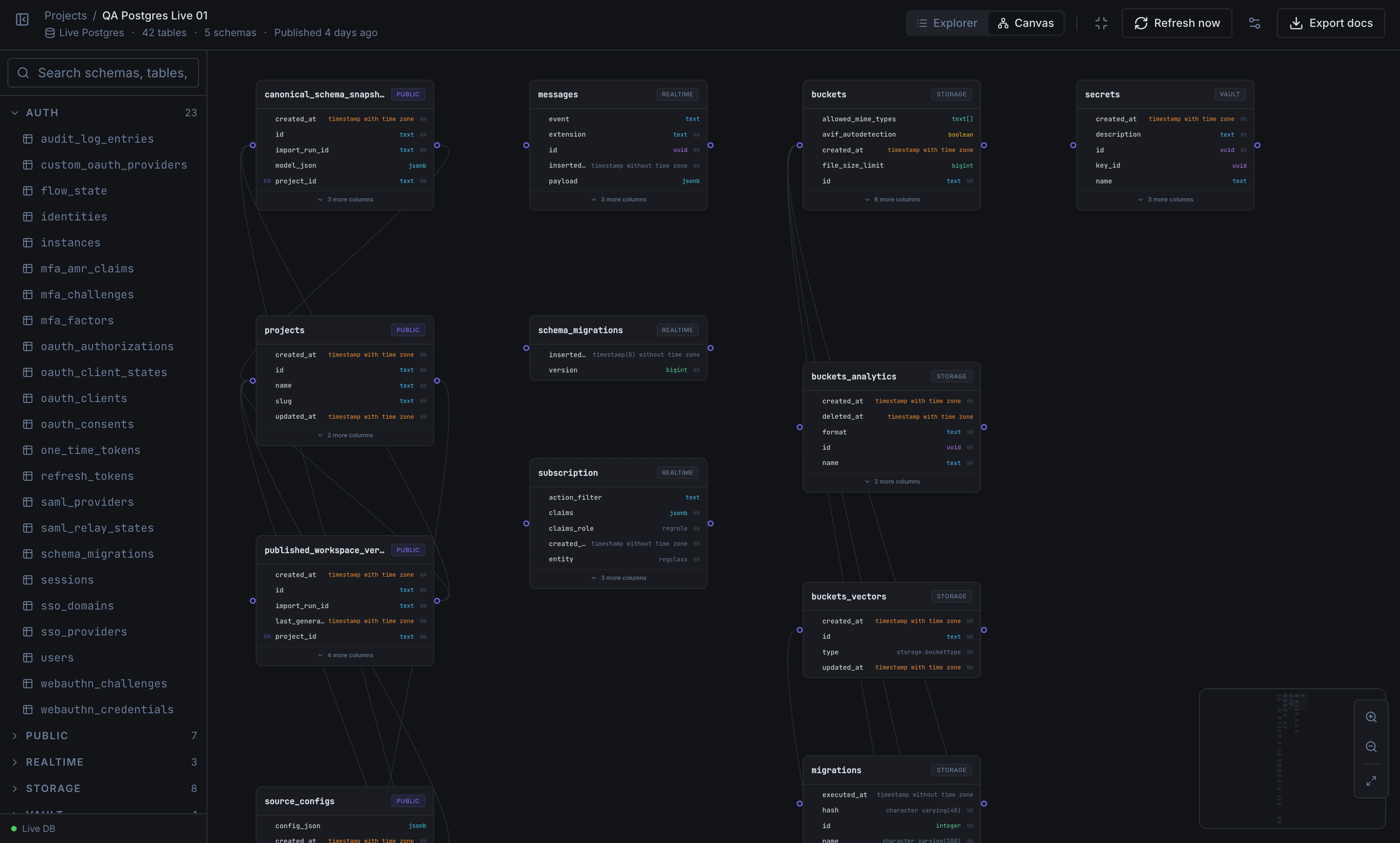
Concrete enough for the first scroll
SchemaLens is not a diagram toy. It is a hosted workspace for reading, publishing, and operating on real Postgres schema context.
Go from schema sprawl to one readable workspace
Connect a live Postgres database or import SQL migrations, then open the same published reference your team will actually use.
Keep freshness visible
Published timestamps, reruns, and source context keep teams honest about whether they are reading a current schema or an old snapshot.
Share the exact same view
Hosted workspaces, member access, and Stripe-backed plans keep solo and team workflows inside one product instead of scattered docs and screenshots.
See tables, relationships, and metadata together instead of in separate tools
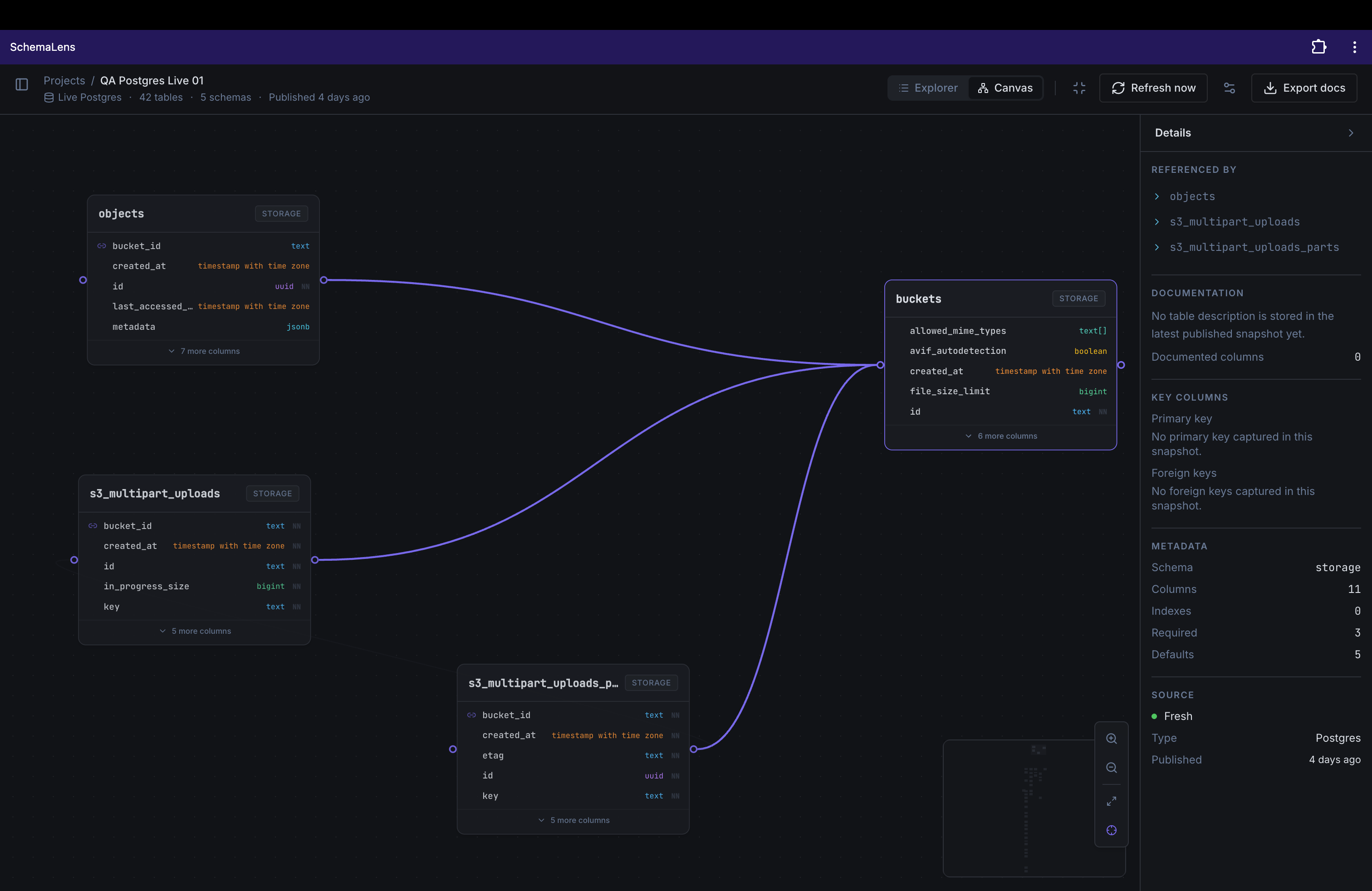
The schema detail workspace keeps the table canvas, field metadata, and relationship context visible at the same time, so you can answer real implementation questions without tab-hopping.
- Browse tables, columns, defaults, and constraints without digging through raw SQL.
- Trace foreign-key relationships in canvas view while keeping field-level detail visible.
- See source freshness and metadata in the same workspace, so context stays attached to the schema.
Inspect structure
Schema detail workspace
Manage hosted schema projects like a real product surface, not an internal checklist
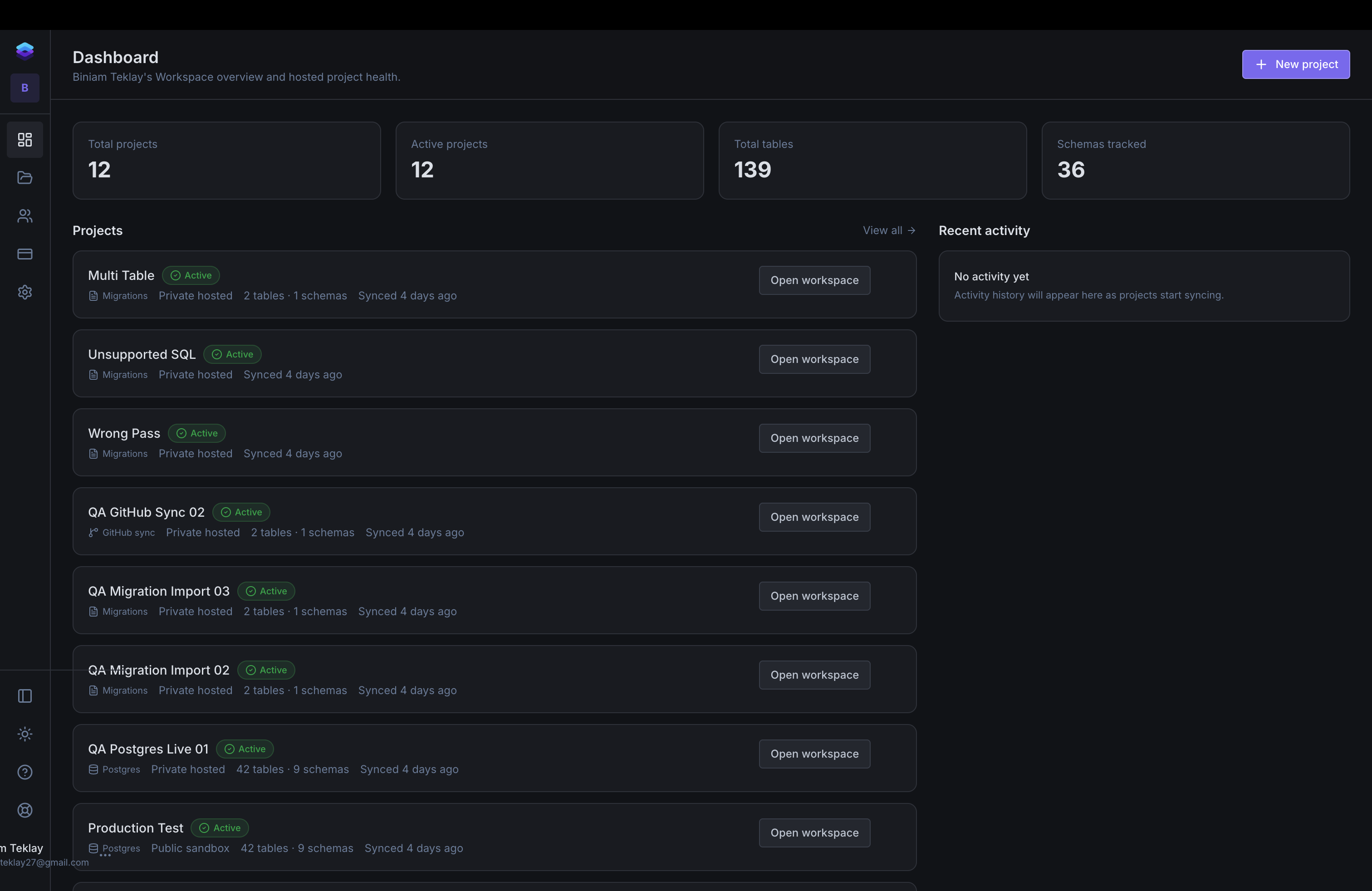
The dashboard gives teams a clean operating view across hosted projects, recent schema work, and workspace health. It keeps ownership, visibility, and next actions obvious without hiding the product behind setup screens.
- Track hosted projects, schema counts, and recent workspace activity from one dashboard.
- Open the exact workspace behind a project without losing plan, billing, or ownership context.
- Use Free, Pro, and Team as real workspace-level operating modes instead of a pricing stub.
Operate the workspace
Workspace dashboard
Built to be credible when the schema matters
SchemaLens now includes the product surfaces teams expect around the core workspace: hosted projects, billing, collaboration, documentation, and support. The goal is simple: make the schema reference trustworthy enough to rely on during real engineering decisions.
Flexible inputs
Start from a live Postgres connection, a migration import, or GitHub-backed SQL on Team.
Trust through clarity
SchemaLens prefers truthful empty, stale, and failure states over pretending a schema is current when it is not.
Ready for real teams
Workspace switching, invites, billing, support, and published schema views now behave like product surfaces, not placeholders.
Start publishing a clearer schema reference
Start on Free, move to Pro when you need private hosted workspaces, and use Team when collaboration and Git-backed publishing need to stay in the same product.